
Yandex for Travellers in Russia: Go, Maps, Translate, Mail and Every Service Explained
 By Irena Domingo
Updated on
In This Article
In Russia, Yandex does the job that Google, Uber, Gmail and Deliveroo do at home: maps, taxis, email, translation, food delivery and video calls, all under one account. As a traveller you don’t need all of it, but four apps will make your trip much easier: Yandex Maps, Yandex Metro, Yandex Go and Yandex Translate. And a Yandex email address can save you a problem before you even leave, when you apply for your eVisa.
Here I go through every Yandex service that can be useful on a trip, what works with a foreign phone and card and what doesn’t, with screenshots and the official sources checked in November 2026.
The essentials
- Install the apps and create your Yandex account at home, with your own SIM card: the sign-up code goes to your phone.
- Download the map of each city in Yandex Maps before you leave: since September 2026 all routes, public transport included, work offline.
- Carry cash for Yandex Go: in practice it doesn’t take foreign Visa or Mastercard cards.
- Turn off your VPN when you open Yandex apps: with it on, they often fail.
- Register for the eVisa with an address that isn’t Gmail, for example Yandex Mail: the Russian Foreign Ministry itself warns about Gmail.

What Yandex is and why it matters for your trip
Yandex is Russia’s biggest technology company: its search engine, maps and taxi app are the ones Russians use every day, in the same way you use Google. For you that has two practical consequences:
- Its apps work in Russia without a VPN and have the most up-to-date information: opening hours, metro changes, real taxi prices.
- During the mobile internet shutdowns that many Russian regions have had in 2025 and 2026, Yandex services are on the government’s list of sites that keep working. More on that below.
Yandex services at a glance
| Service | What it’s for | In English | Without internet | With a foreign card |
|---|---|---|---|---|
| Yandex Maps | Maps, routes, public transport | Yes | Yes, with the city downloaded | Free |
| Yandex Metro | Metro in Moscow, St Petersburg and 20+ cities | Yes | — | Free |
| Yandex Go | Taxis, food delivery, scooters | Yes | No | No: cash or Russian card |
| Yandex Translate | Translation by text, voice and camera | Yes | Only into English | Free |
| Yandex Mail | Email, 5 GB shared with Yandex Disk | Yes | No | Free |
| Telemost | Video calls home | Yes | No | Free |
| Browser and Alice AI | Web translation, AI assistant | Yes | No | Free |
| Eats, Lavka, Market, Travel, Afisha | Food, shopping, trains, hotels, tickets | Varies | No | No: Russian payment methods |
Most of the apps you’ll use in Russia are made by Yandex, but not all of them. For the full list (messaging, VPN, hotels, banks), see what apps to use in Russia.
1. Your Yandex account (Yandex ID): create it at home
All Yandex services work with a single account, the Yandex ID. Maps, Metro and Translate can be used without logging in, but Yandex Go, Mail, Eats or Telemost need it.
To create it you need a mobile phone number. Yandex’s terms of use require it, and they accept numbers from any country: the sign-up page shows your country’s code automatically (+34 in the screenshot below, taken from Spain). The confirmation code arrives by SMS, by push notification or by a call whose last digits are the code.
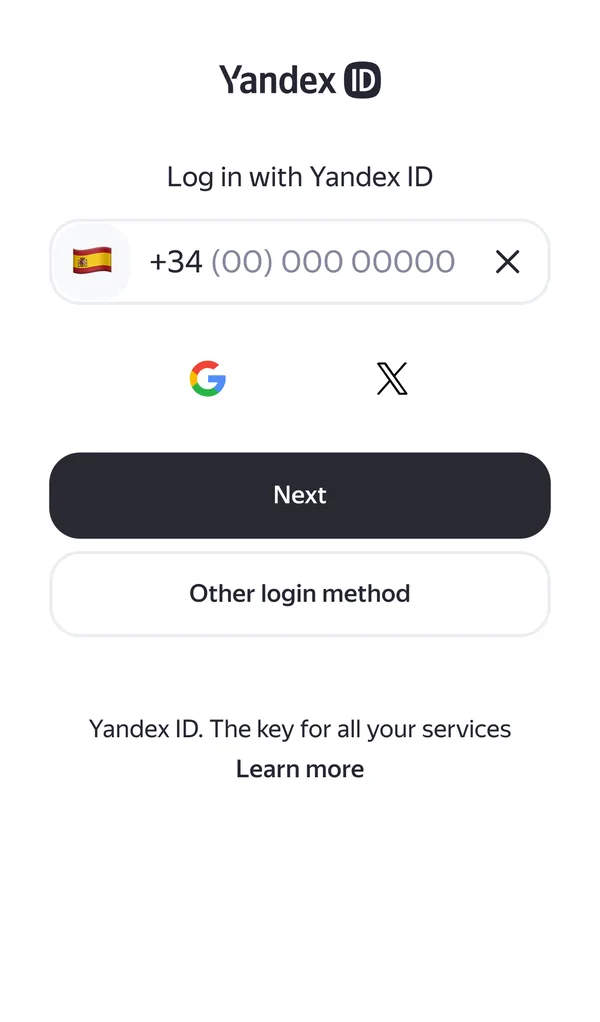
Create the account before you travel. In Russia you may not receive SMS: many travel eSIMs are data only, and roaming can be patchy. Create the account at home, log in to every Yandex app you’re going to use and check it works, so you don’t depend on receiving a code on arrival.
2. Yandex Maps and Yandex Metro: finding your way
Yandex Maps is the map Russians use. In Russia it’s more detailed than Google Maps, with public transport in real time, opening hours and reviews of almost every shop, pharmacy and restaurant. It’s in English, and since September 2026 it works offline for every kind of route (on foot, by car, by bike and by public transport) as long as you’ve downloaded the region beforehand; the transport timetable comes in the same download. Live traffic and vehicle positions still need a connection. If GPS fails, it locates you using Wi-Fi and Bluetooth, so keep both turned on.
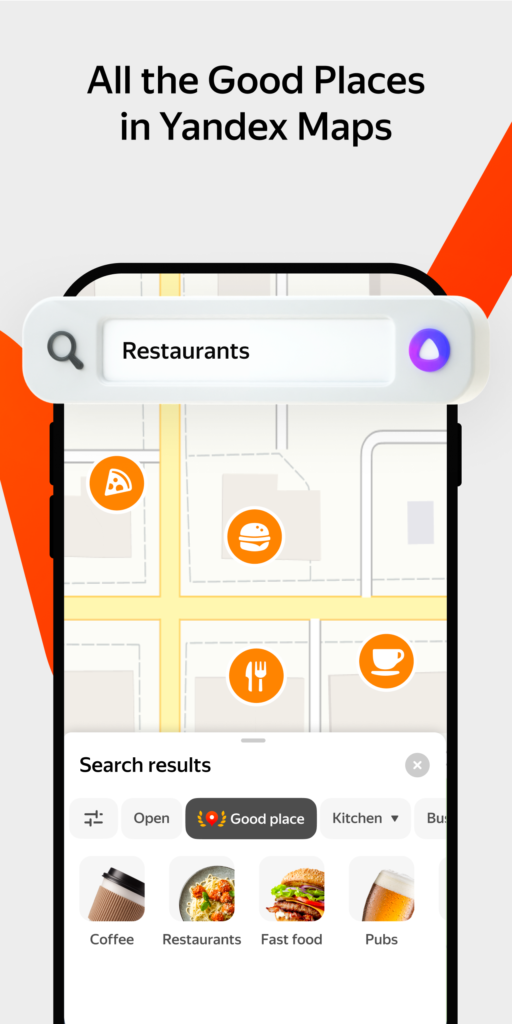
How to download the maps, and what to do when your location jumps to the airport (it happens often in central Moscow because of anti-drone measures), is in GPS and maps in Russia.
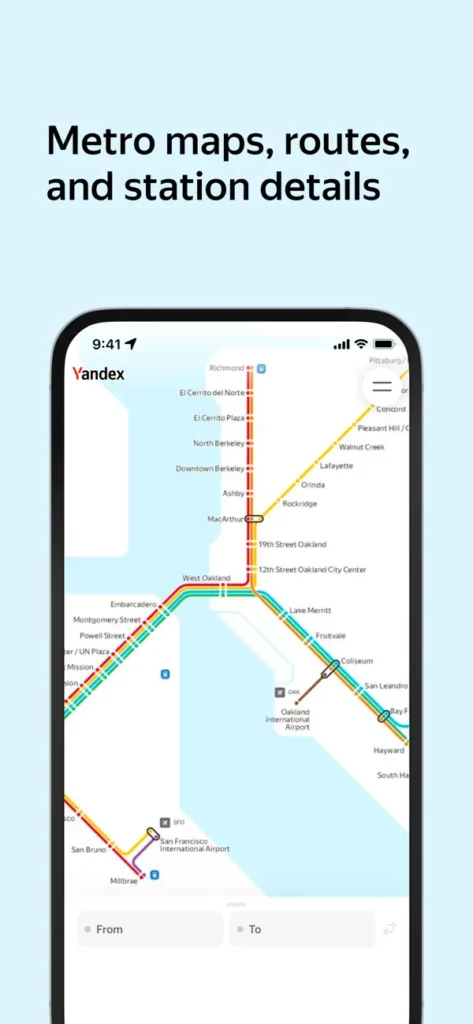
Yandex Metro plans your journey on the metro of Moscow, St Petersburg, Kazan and more than 20 other cities, with the travel time and the best carriage to board for your exit. It’s in English (also Russian, Turkish, Ukrainian and Uzbek) and is clearer than the official metro apps, which are mostly in Russian.
3. Yandex Go: taxis, and why you need cash
Yandex Go is the Russian equivalent of Uber, which no longer operates in Russia. You choose where you’re going, the app shows you the price or a price range before you order, and a car arrives in a few minutes. The app is available in English and 29 other languages, and has classes for every budget: Economy, Comfort, Comfort+, Business, Minivan and a Child class with child seats. On the official Moscow tariff page in November 2026, Economy started at 189 ₽, including the first 3 minutes and 1 km.
If GPS fails, type your pickup address by hand; otherwise the car may go to the wrong place.

How to pay for Yandex Go
Yandex Go’s terms list three ways to pay: cash to the driver, a card linked to your account and SBP, the Russian banks’ instant payment system. Before linking a card, Yandex checks it with a small hold of up to 11 ₽, and its general terms allow it to restrict cards issued by foreign banks. In practice, foreign Visa and Mastercard cards don’t get through that check, so:
- Without a Russian card: choose “Cash” before you order and carry roubles in small notes. How much cash to bring is in how to pay in Russia.
- With a Russian MIR card, for example from T-Bank, which foreigners can get in Russia: you link it like any Russian user. Everything about it is in how to get a MIR card as a foreigner.
- With a virtual card for foreigners such as Pay in Russia: I haven’t been able to confirm whether Yandex Go accepts it. If you’ve tried it, tell me and I’ll update this article.
For your first ride from the airport you need data, a working account and roubles in cash. If you’d rather have a driver waiting for you at a fixed price paid with your own card, book a transfer before you travel. Tips for any taxi are in how to get a taxi in Russia.
Scooters and car sharing
The scooters in Yandex Go require you to be 18 and to have a card linked to your account (the same 11 ₽ check), so without a Russian card you can’t use them. Yandex Drive, the car sharing service, asks for your passport, a Russian address registration and, for foreigners in Moscow, verification through Gosuslugi, the Russian public services portal. For a short trip, neither is an option.
4. Yandex Translate: menus, signs and conversations
Yandex Translate is the best translator for Russian, especially colloquial Russian. It translates text, voice and photos (signs, menus, forms) and whole websites.
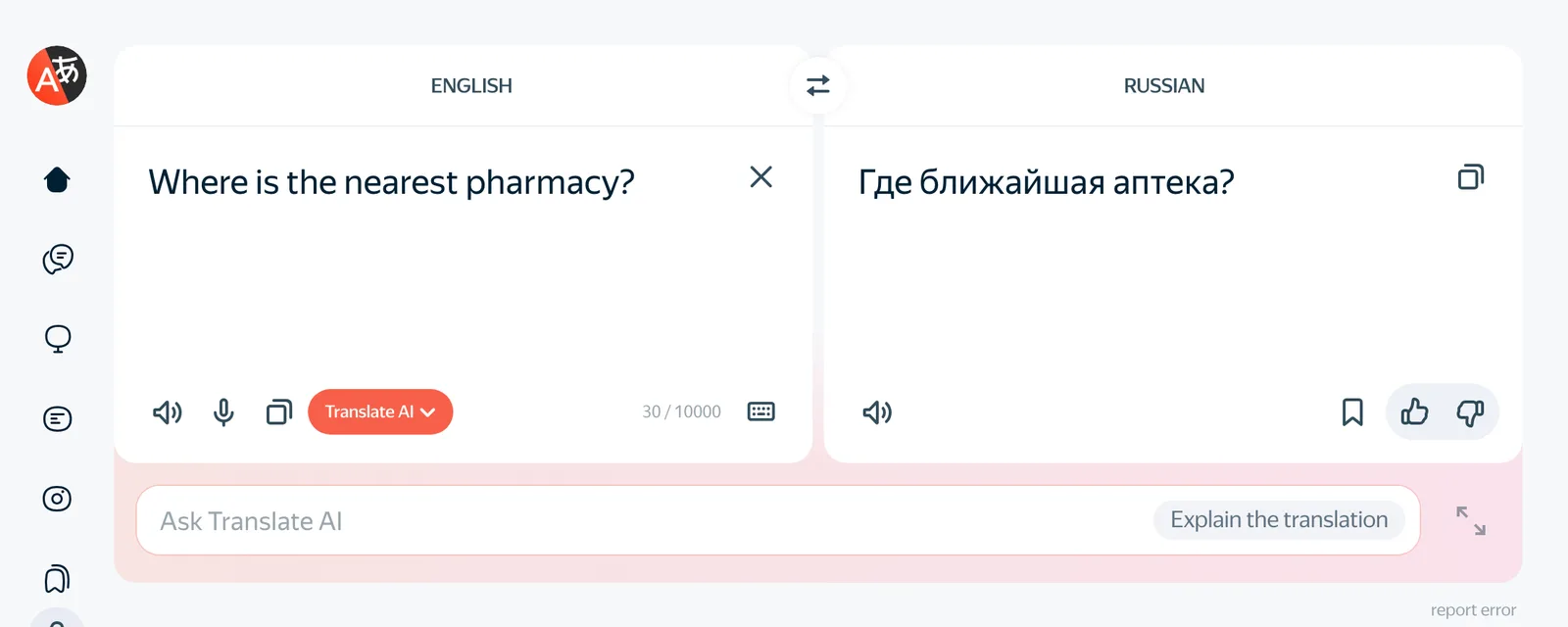
Without internet it can do less than you might expect:
- Offline it only translates into English (from Russian, French, German, Italian, Spanish and Turkish). Russian into English works without data; English into Russian doesn’t.
- Photo translation needs a connection.
- Voice input works in Russian, English, Ukrainian and Turkish, and it reads the translation aloud.
That’s why I recommend carrying two: Yandex Translate to understand Russian, and Google Translate with Russian downloaded as a backup to make yourself understood when you have no data. How to manage with both, the Cyrillic alphabet and a few key phrases is in how to communicate in Russia without speaking Russian.
5. Yandex Mail and the Russian eVisa
Yandex Mail is free, available in English, and gives you 5 GB shared with Yandex Disk. Your address ends in @yandex.com. It uses the same Yandex ID, so if you’ve already created your account, you have it.
It’s useful for the Russian eVisa. On the registration page of the official portal, evisa.kdmid.ru, the Ministry of Foreign Affairs warns:
“Due to unstable and delayed email delivery via Gmail, we kindly recommend using an alternative email service to ensure successful registration and receipt of all necessary notifications.”
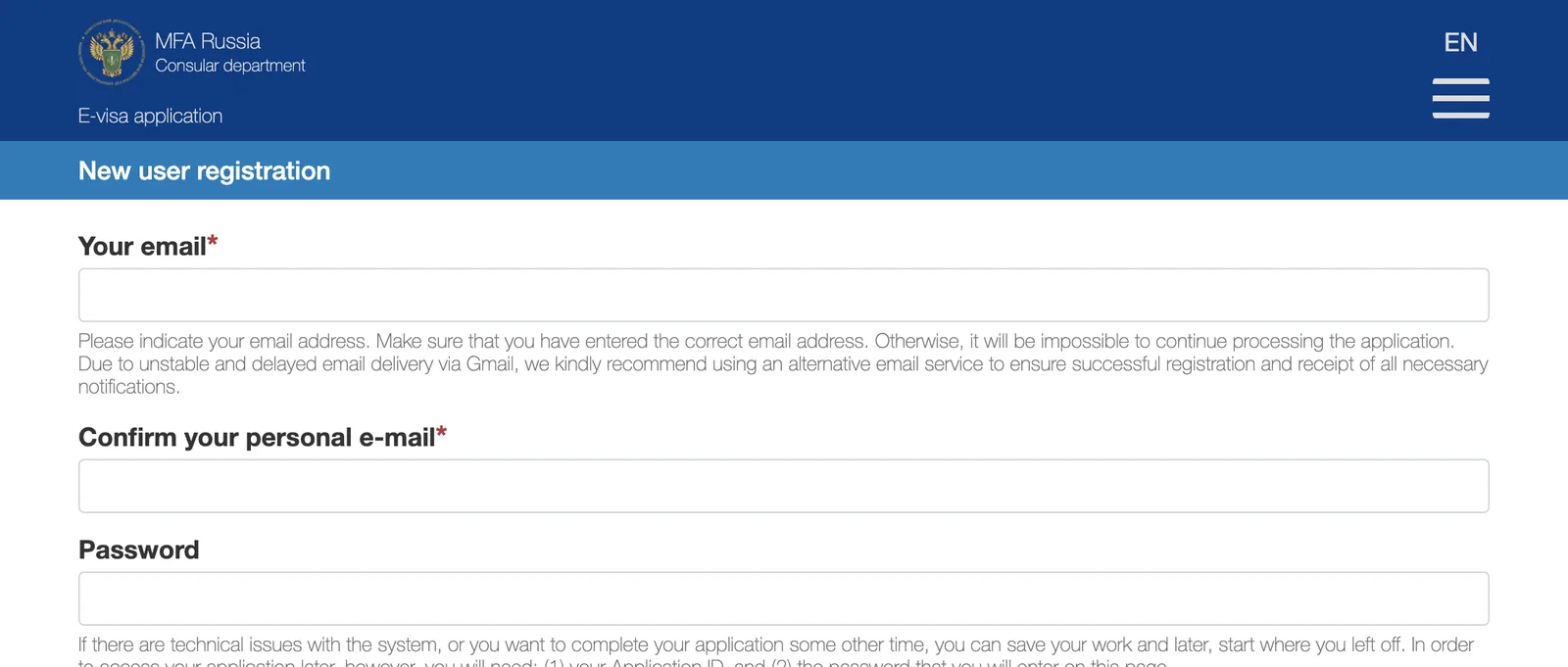
Every message about your application (the confirmation link, requests for corrections, the visa itself) goes to that address, so if the emails don’t arrive you can’t go on. Yandex Mail, Outlook, iCloud or Proton all avoid the problem. What to do if you already registered with Gmail and the email isn’t arriving is in problems applying for the Russian eVisa, and the whole process in the complete eVisa guide.
A Yandex account is also useful if you sign up for Russian services while you’re in Russia. A 2023 law (No. 406-FZ) requires Russian websites to identify users in Russia through a Russian phone number, Gosuslugi or another Russian login system, such as Yandex ID, and since July 2026 the website owner is fined if it lets users log in with Google, Apple ID or a foreign email. On Russian websites you’ll increasingly find “Log in with Yandex” rather than “Log in with Google”.
6. Telemost: video calls home without a VPN
Yandex Telemost is Yandex’s video call service: free, with up to 40 participants and no time limit. Whoever creates the call needs a Yandex account; the others join from the link in their browser, without signing up. Since September 2026 it has also absorbed Yandex Messenger, which no longer exists as a separate app.
In Russia WhatsApp and Telegram calls barely work without a VPN, while Telemost, being Russian, works normally. Create the meeting from your phone and send the link to your family. All the alternatives are compared in how to make video calls with Russia.
7. Yandex Browser and Alice AI
Yandex Browser translates whole web pages, images and documents (PDF, Word and Excel up to 15 MB) and adds translated subtitles to videos. It’s available in English for iPhone, Android, Windows, macOS and Linux. It’s handy for Russian websites such as a museum or a train timetable, although Chrome or Safari with automatic translation do almost the same.
Alice AI is Yandex’s artificial intelligence assistant, similar to ChatGPT. Its app is on the App Store in English and Russian, and it can answer questions, recognise text in photos and translate. As a Russian service it works in Russia without a VPN, unlike ChatGPT. For a tourist it’s an extra: Maps and Translate do the real work.
8. Eats, Lavka, Market, Travel and Afisha: only with Russian payment methods
Yandex also sells food, groceries, products, trains, hotels and tickets. All very convenient, but payment is the problem: on the Yandex Travel help pages Yandex itself warns that “cards issued by foreign banks may not work”, and the other services work the same way.
- Yandex Eats (food delivery): the app is available in English. You can pay with a linked card, SBP or, where the app offers it, cash to the courier. That last option is the only one open to you without a Russian card.
- Yandex Lavka (fast grocery delivery): only in Russian, and only in Moscow, St Petersburg and Irkutsk.
- Yandex Market (Russia’s Amazon): at pickup points you can only pay with a linked card; cash only with courier delivery. Not very practical for a trip.
- Yandex Travel (trains, hotels, flights): you can buy train tickets with a foreign passport, but you pay with a Russian card, SBP or Yandex’s own digital card. To buy train tickets with your own card, see RussianTrain; for hotels, how to book accommodation in Russia.
- Yandex Afisha (theatre, concerts, events): it accepts a foreign passport for named tickets, but again you pay with a Russian card or SBP.
Yandex Plus is the subscription that bundles music, films and books (449 ₽ a month in November 2026, Russian cards only). You don’t need it on a trip.
9. Is Yandex safe?
Yes. Yandex is Russia’s largest technology company, its services are the ones Russians use every day, and its apps are on the App Store and Google Play like any other. Using its maps, taxis, translator or email is as safe as using the equivalent services from Google or any other big technology company.
As for who owns it: since July 2024 the Russian Yandex is a fully Russian company. Its former Dutch parent sold the whole Russian business to a consortium of Russian investors and continues separately, under the name Nebius, with no connection to Russia. Like any company, Yandex follows the laws of its country, which in Russia include storing Russian users’ data in Russia.
10. Yandex when the mobile internet is cut off
In 2025 and 2026 mobile internet has been shut down for hours or days in many Russian cities, including Moscow and St Petersburg. During those shutdowns only the sites on the Ministry of Digital Development’s white list keep working, and “Yandex services” are on it. The mobile operators’ list names Go, Eats and Lavka, among others.
Readers who answered my October 2026 survey confirm it: with a Russian SIM, Yandex Maps and Yandex Go kept working during the restrictions when almost nothing else did. I haven’t been able to confirm whether the same applies to foreign eSIMs in roaming, which is one more reason to download your maps before you leave and to carry cash. How to get online in Russia, with an eSIM or a Russian SIM, is in the best eSIMs for Russia and how to buy a Russian SIM card.
Turn off your VPN for Yandex. Several readers told me that Russian apps, Yandex included, stop working when the VPN is on. Turn it off when you open Maps or Go, and back on for WhatsApp or Instagram. Yandex itself warns that logging in from several places at once, for example through a VPN, can get your account restricted. Which VPN to use is in VPN in Russia.
11. Yandex Go outside Russia, and Yango
If your trip continues beyond Russia, Yandex Go also operates, with its own terms for each country, in Armenia, Belarus, Georgia, Kazakhstan, Kyrgyzstan, Moldova, Serbia, Turkey and Uzbekistan. In the Gulf, Africa, Latin America and parts of Asia you’ll find Yango, a separate company that grew out of Yandex’s international business and now operates in 43 countries from Dubai.
Frequently asked questions
Which Yandex apps should I install before travelling to Russia?
Yandex Maps (with the cities downloaded), Yandex Metro, Yandex Go and Yandex Translate. Create your Yandex ID at home with your own phone number and log in to each app before you leave.
Can I register for Yandex with a foreign phone number?
Yes. Yandex ID requires a mobile number and accepts numbers from any country. Do it before your trip, because in Russia your SIM may not receive the confirmation code.
Does Yandex Go accept foreign cards?
In practice, no: foreign Visa and Mastercard cards can’t be linked. Pay in cash or with a Russian MIR card. If you want to pay with your own card, book a transfer in advance.
Should I use Yandex Mail for the Russian eVisa?
Any address that isn’t Gmail will do. The official eVisa portal warns that Gmail delivers its emails late or unreliably and recommends another email service. Yandex Mail, Outlook, iCloud or Proton all work.
Does Yandex Maps work offline?
Yes. Since September 2026 all routes, public transport included, work without internet, as long as you’ve downloaded the region beforehand. Only live traffic and vehicle positions need a connection.
Is Yandex safe to use as a tourist?
Yes. It’s a large, established company whose apps are on the App Store and Google Play, and using its maps, taxis, translator or email is as safe as using Google’s. Since 2024 it has been a fully Russian-owned company.
Do you use another Yandex service on your trips, or have you managed to pay for Yandex Go with a foreign card? Tell me about it and I’ll add it for future travellers.
In This Article
Was this useful? I'll tell you when something changes in Russia
One short email a month with what has changed for travellers (visas, payments, border crossings, apps), based on what readers report to me from Russia. More than 4,000 of us already. No spam: if you ever lose interest, unsubscribing is one click.
Irena DomingoAbout Me
I was born in Russia. I grew up between two worlds: my father was Russian, my mother Spanish — a descendant of the "Children of Russia", the Basque children evacuated to the USSR during the Spanish Civil War. I've worked as a translator, interpreter and Russian teacher for over 30 years, and since 2013 I've been writing this blog to help travellers discover Russia with practical, always up-to-date information. Author of the Russiable Guide. If this blog has helped you plan your trip, you can buy me a coffee ❤️.
 Does Telegram Work in Russia? What Happened to Travelers in 2026
 Happ VPN in Russia: What It Is, How It Works and How to Use It Without Getting Scammed
 Your Own VPN with Amnezia Hosting: Step-by-Step Tutorial for Russia