
Does Telegram Work in Russia? What Happened to Travelers in 2026
 By Irena Domingo
Updated on
In This Article
Short answer: no, not without help. Telegram has been officially restricted in Russia since February 2026 and almost completely blocked since April. Since July 2026 a foreign eSIM or roaming no longer gets you around the block either. To use it there you need a VPN or a proxy, set up and tested before you leave home.
In October 2026 I asked readers who had just come back from Russia how they got online. 198 people replied. Twenty of them mention Telegram, and not one of those who travelled between July and October says it worked without a VPN. Here’s what happened and what you can do.
This is step 8 of my guide to planning a trip to Russia in 10 steps, where you’ll find everything else in order.
Telegram is only part of the problem: I explain what else is blocked and how to get online in my guide to internet in Russia.
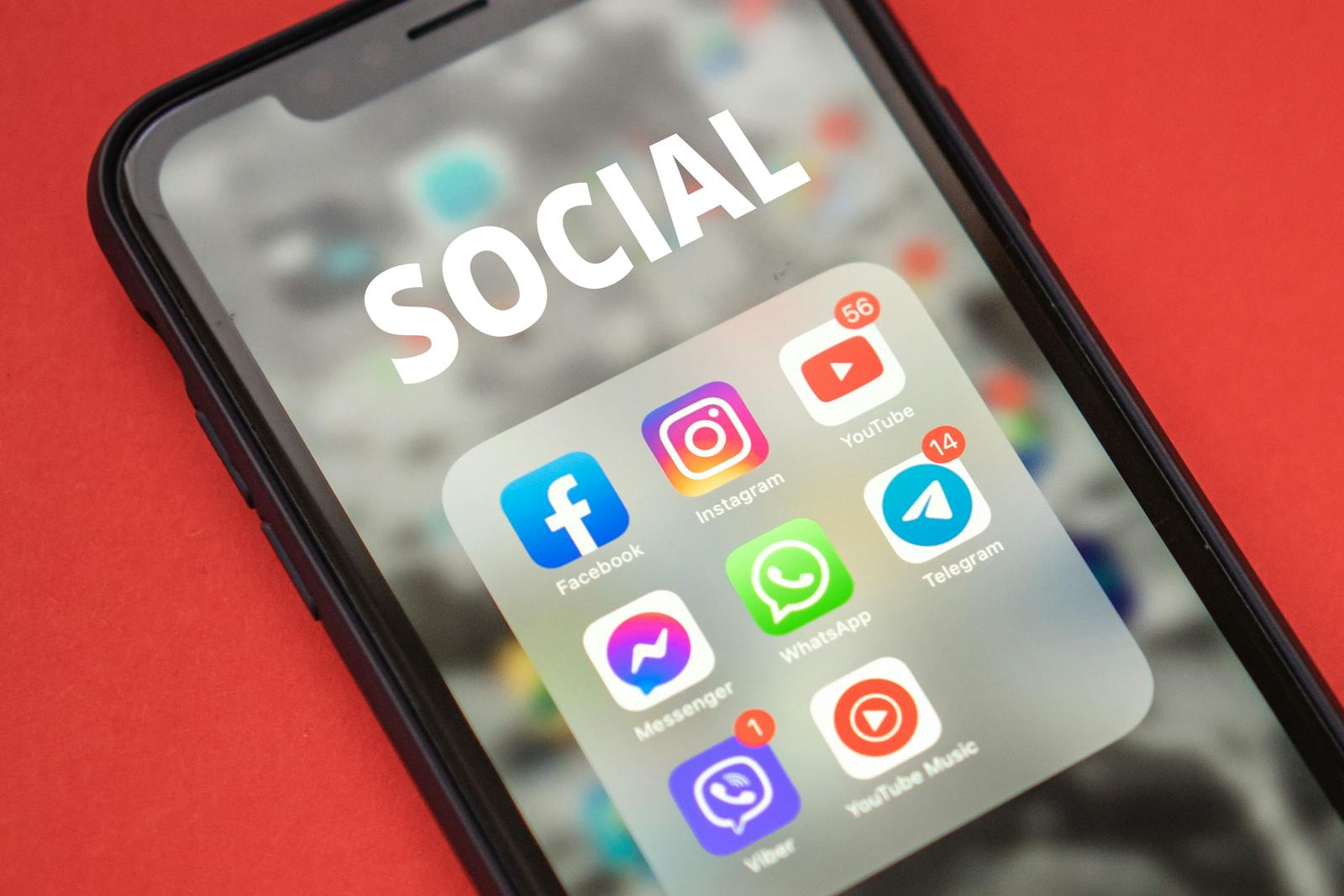
What to expect depending on how you get online
With WhatsApp, the way you connect still makes a difference. With Telegram it barely does any more: the block is much tougher, and it applies to every kind of connection.
| How you connect | Telegram without a VPN | Telegram with a VPN or proxy |
|---|---|---|
| Foreign eSIM (bought before the trip) | Until June 2026 it often worked. Since July, don’t count on it | Works, if the VPN gets past the filtering |
| Roaming with your usual provider | Same as an eSIM: it depends on the provider, and mostly it doesn’t work | Works |
| Russian SIM | Doesn’t work | Works with a VPN built for the Russian block |
| Hotel or café Wi-Fi | Doesn’t work | The most stable option, and it usually survives mobile internet shutdowns |
Why the change with foreign eSIMs? For years, roaming traffic went out to the internet through the card’s home country and the Russian filter didn’t touch it. On 10 July 2026 the Ministry of Digital Development confirmed that roaming traffic is now filtered under the same rules as that of Russian operators. How strictly depends on how each provider routes its roaming, so a few travelers still get lucky, but it’s no longer a plan.
What happened to readers this year
These are answers from the October 2026 survey, quoted with their authors’ permission:
- Fran, Moscow, Vladimir and Ivanovo, August–October 2026, Russian MTS SIM: “Telegram works with a VPN, but nothing from Google or Hotmail. On mobile data only Amnezia VPN works.”
- Ronald, Moscow and St Petersburg, September 2026, Russian MTS SIM: “Telegram didn’t work without VPN.” Proton and another VPN he tried didn’t work either.
- A reader in St Petersburg, October 2026, foreign eSIM: Google worked without a VPN and WhatsApp did now and then, but Telegram only with a VPN.
- A reader on roaming in St Petersburg, October 2026: travelled without a VPN and missed one precisely for Telegram. The one they tried to set up there, Proton, didn’t work at all.
- Jorge, Yekaterinburg, Kazan and St Petersburg, September 2026, Yesim eSIM: even with a VPN, WhatsApp and Telegram worked badly, so he ended up keeping in touch with his Russian friends on VK.
The conclusion is clear: between July and October 2026 no reader got Telegram working without a VPN, whatever the connection. Those who managed it used a VPN built for the Russian block, above all Amnezia.
What has happened with Telegram in Russia
- August 2025: Russia blocks voice and video calls on Telegram and WhatsApp.
- 10 February 2026: Roskomnadzor, the telecoms regulator, starts throttling Telegram nationwide. Photos, videos and voice notes stop loading properly.
- Mid-March to 10 April 2026: mass blocking, until the app stops working altogether without a VPN.
- April 2026: Telegram releases an update that disguises its traffic. For a few days some Android users, especially with Telegram Premium, can use it again without a VPN, but it doesn’t last.
- Late April to May 2026: a new round of restrictions. According to the outlet Agentstvo, Russian Telegram channels lose around half their audience. At the end of May the in-app MTProto proxies stop working en masse.
- July 2026: foreign SIMs and eSIMs in roaming are filtered too.
- September 2026: waves of VPN failures across dozens of regions on 7–8 September and again on 22–23 September, right after the State Duma elections.
- October 2026: Telegram 13.0 adds a new kind of proxy, the web proxy, designed to look like an ordinary website to the filters.
The official reason given by Moscow is the fight against fraud and Telegram’s refusal to comply with Russian law. Most analysts agree that the aim is also to push Russians towards MAX, the state-backed messaging app. As a tourist you don’t need to install it.
Why Telegram matters so much in Russia
In Russia, Telegram isn’t just another chat app. Before the block it had over 100 million users and worked as:
- The main news source for millions of people.
- The official channel of ministries, regional governors and city councils, including drone alerts in border regions.
- The work chat in many companies, the neighbourhood group and the school group.
- The place to rent a flat, sell furniture or find a local service.
That’s why so many Russians keep using it through a VPN, including official bodies and the media, which still post on their channels. It’s a well-known paradox: banned on paper, used every day in practice. Even so, the block has taken its toll: the average post in Russian-language Telegram now gets about half the views it did eighteen months ago.
How to use Telegram in Russia: what works
1. A VPN installed before you leave home
It’s the solution that works for most people. But not just any VPN: in the survey, Proton VPN only worked well for 9 of the 61 readers who tried it, and NordVPN for 1 in 30. The best results came from Amnezia, which is built for the Russian block: 28 of 39 readers say it worked well, and it’s the one most often mentioned by those who used Telegram.
Install it and test it at home, because from Russia most VPN websites are blocked and their apps have vanished from the Russian stores. I explain how to get it ready in ten minutes on the Amnezia VPN for Russia page, what other options you have in the guide to VPNs in Russia, and how to set up your own VPN with Amnezia on a server only you use. Many Russians use apps like Happ with keys bought from Telegram bots; if you go down that route, read first how to use Happ without getting scammed.
2. A proxy inside Telegram, as a plan B
Telegram lets you connect through a proxy under Settings → Data and Storage → Proxy. Unlike a VPN, it only routes Telegram, so your Russian apps aren’t affected. There are two kinds:
- MTProto proxy: the classic one. Since late May 2026 Russia has been blocking them in bulk, so the free lists that circulate online mostly don’t work.
- Web proxy: new in Telegram 13.0 (October 2026). It wraps Telegram’s traffic in a normal HTTPS connection, so to the operator it looks like a visit to an ordinary website. You need the details of a server that someone runs: there’s no official public list.
Only use a proxy that someone you trust gives you: whoever runs it can’t read your messages, but they do see your IP address. And never rely on a proxy alone: carry a VPN too.
3. Update Telegram before you leave
Telegram keeps adding ways around the block, and the latest one, the web proxy, needs version 13.0 or later. Update before your trip: from inside Russia the App Store and Google Play usually work, but downloading a 100 MB update with a VPN on a weak connection is no fun. On iPhones with iOS 13 or 14 the new version won’t install.
4. Turn the VPN off for Russian apps
With the VPN on, Yandex Go, Russian banks or VK often stop working or ask you to switch it off. If your VPN has split tunnelling, send only Telegram and your foreign apps through it; if not, turn it on only when you need it.
Telegram calls
Voice and video calls on Telegram have been blocked since August 2025. Without a VPN, assume they won’t work at all; with a VPN they usually do, preferably over Wi-Fi. If talking to your family matters to you, agree on an alternative beforehand: I explain the options in how to make video calls with Russia, and what’s going on with the other big messaging app in does WhatsApp work in Russia.
Is it legal to use Telegram with a VPN in Russia?
Yes. Having Telegram installed is not an offence, and neither is using a VPN. Since 1 September 2025 two things are fined:
- Deliberately searching for material classified as extremist (a list kept by the Ministry of Justice): a fine of 3,000 to 5,000 roubles for an individual. Using a VPN to do it is an aggravating circumstance.
- Advertising VPNs in Russia: fines from 50,000 roubles. This affects those who publish content in Russia, not travelers.
Using Telegram with a VPN to talk to your family, read the news or check a border channel is something millions of Russians do every day.
Telegram channels: a key tool for your trip
Once you have Telegram working, it’s worth it: there are channels for almost everything in Russia, from local news and transport to expat communities and cultural events, and they’re often more up to date than official websites. A clear example are the groups that share real-time waiting times at Russia’s land borders, essential if you’re entering from Estonia, Latvia, Georgia or Poland.
Telegram also has a built-in translator: tap a message and choose “Translate”, or turn it on for all chats under Settings → Language. Occasional use is free, but to translate whole channels without limits you need Telegram Premium, about $5 a month.
Before you leave home
- Update Telegram to the latest version.
- Install and test a VPN that works in Russia, and pay for the subscription in advance.
- If someone you trust can give you one, add a proxy in Telegram as a plan B.
- Install an eSIM for Russia for mobile data, knowing it won’t unblock Telegram on its own.
- Join the channels you’ll want to follow, such as the border ones, while you’re still at home.
- Agree with your family on how you’ll talk if Telegram and WhatsApp fail.
If you’ve recently come back from Russia, tell me what worked for you in this two-minute survey. I use the answers to keep this article up to date.
Frequently asked questions
Does Telegram work in Russia?
Not without a VPN or a proxy. It has been restricted since February 2026 and almost completely blocked since April. In the October 2026 survey, no reader who travelled between July and October got it working without a VPN.
Does Telegram work with a foreign eSIM in Russia?
Not reliably any more. Since July 2026 roaming traffic from foreign SIMs and eSIMs is filtered like that of Russian operators. A few providers still let it through, but you need a VPN to be sure.
Which VPN works with Telegram in Russia?
In the October 2026 reader survey, Amnezia worked well for 28 of the 39 people who tried it and was the one most used for Telegram. Proton worked for 9 of 61 and NordVPN for 1 of 30. Install it and test it before you travel.
Do Telegram proxies still work in Russia?
The classic MTProto proxies have been blocked en masse since May 2026. Telegram 13.0 added a web proxy that looks like ordinary web traffic, but you need the details of a server someone runs. Use it as a plan B and only from a source you trust.
Do Telegram calls work in Russia?
Without a VPN, no: voice and video calls have been blocked since August 2025. With a VPN they usually work, preferably over Wi-Fi.
Is it legal to use Telegram with a VPN as a tourist in Russia?
Yes. Neither having Telegram nor using a VPN is an offence. Since September 2025 what is fined is deliberately searching for material classified as extremist, and advertising VPNs.
Will the Telegram block in Russia be lifted?
Nobody knows. The 2018 block was lifted in 2020 after two years of failing, but this time the blocking technology is much better and the authorities are promoting the state app MAX. Check the latest situation before you travel.
In This Article
Was this useful? I'll tell you when something changes in Russia
One short email a month with what has changed for travellers (visas, payments, border crossings, apps), based on what readers report to me from Russia. More than 4,000 of us already. No spam: if you ever lose interest, unsubscribing is one click.
Irena DomingoAbout Me
I was born in Russia. I grew up between two worlds: my father was Russian, my mother Spanish — a descendant of the "Children of Russia", the Basque children evacuated to the USSR during the Spanish Civil War. I've worked as a translator, interpreter and Russian teacher for over 30 years, and since 2013 I've been writing this blog to help travelers discover Russia with practical, always up-to-date information. Author of the Russiable Guide. If this blog has helped you plan your trip, you can buy me a coffee ❤️.
 What Apps to Use in Russia (When Google, Uber or Booking Don’t Work)
 GPS and maps in Russia: why GPS fails and which apps to use (even offline)
 How to Remove Russia’s 24-Hour Internet Block with a Foreign eSIM