
GPS and maps in Russia: why GPS fails and which apps to use (even offline)
 By Irena Domingo
Updated on
In This Article
In Russia you can’t trust your phone’s GPS, especially in central Moscow: it can suddenly put you at Vnukovo airport or 20 kilometres from where you actually are. It isn’t your phone’s fault, it’s the protection measures against drones. The fix is to carry Yandex Maps or 2GIS with the maps downloaded before you leave, keep Wi-Fi and Bluetooth on so your phone can locate itself without GPS, and have a plan B for when the blue dot goes haywire.
I’m telling you this based on what almost 200 readers told me in the October 2026 survey and on what the Russian apps themselves have changed this year, as they’ve adapted to the problem pretty well.
This is step 8 of my guide to planning a trip to Russia in 10 steps, where you’ll find everything else in order.
And if you’re also worried about losing mobile data, I cover the shutdowns and how to get online in my guide to internet in Russia.
✅ The essentials
- GPS often fails in central Moscow and St Petersburg, near airports and in regions with drone alerts.
- It affects every app equally: Google Maps, Apple Maps, Yandex or 2GIS.
- Install Yandex Maps (and 2GIS, if you have Android) at home and download the maps of each city before you travel.
- Keep Wi-Fi and Bluetooth on: in Moscow they help locate you when GPS isn’t working.
- Save your hotel address in Cyrillic and carry a paper or PDF map as a last resort.
Does GPS work in Russia?
It does, but not everywhere and not all the time. In most of the country, on the road and in small towns, GPS works like anywhere else. The problems are concentrated in three kinds of places:
- Central Moscow, especially around the Kremlin, Kitay-Gorod and inside the Garden Ring. This is the best-known case: your phone places you at Vnukovo or Sheremetyevo airport even though you’re standing on Red Square. It’s been happening for years, and it got worse from May 2023.
- St Petersburg and other big cities, particularly near government buildings, airports and military sites.
- Regions with drone alerts, like the southern border regions (Rostov, Belgorod, Voronezh) or, depending on the day, anywhere else. There GPS often fails at the same time as mobile internet.
Readers confirm it. A French reader who was in Moscow, Kazan and St Petersburg in May wrote to me that in Moscow her GPS worked “almost never” and she ended up using a paper map. A traveller who drove around Russia in a van from August to October called it his “number one problem”: the navigation put him 20 kilometres off or even in another country. And several readers told me that on Red Square they didn’t even have signal with their foreign SIM, which came back about 800 metres away.
Why it fails: two different problems
It’s worth separating two things, because the fix isn’t the same:
- No GPS, or fake GPS. This is deliberate interference: a signal is broadcast that blocks GPS (“jamming”) or tricks it with a fake position (“spoofing”) to throw drones off course. Your phone has no way of knowing it’s being lied to, so every map app fails the same way. Downloading maps doesn’t fix it.
- No internet. These are mobile internet shutdowns, which have become common in many regions in 2026. Here GPS may keep working, and what you need is maps downloaded on your phone.
They often happen together: when there’s a drone alert, mobile internet gets cut and GPS goes haywire too. That’s why it’s best to prepare for both at once.
Which map app to use in Russia
My advice is to carry two: Yandex Maps as your main app and 2GIS as backup. Both are free and available in English. Heads up: 2GIS isn’t on the App Store in Europe or the US, so on an iPhone you’ll have to make do with Yandex Maps; on Android you’ll find it on Google Play. Here’s the summary:
| App | What I use it for | Offline | Watch out for |
|---|---|---|---|
| Yandex Maps | Getting around by metro, bus and on foot; finding restaurants and opening hours | Yes: maps, route planning and public transport | Some features work worse with your VPN on |
| 2GIS | Finding the exact entrance to a building, shops inside shopping centres | Yes: almost everything works offline | Not on the App Store in Europe or the US: you can’t install it on an iPhone |
| Google Maps | Saving the list of places I want to see while still at home | Only downloaded areas | Less up-to-date info on shops and transport |
| Organic Maps | Hiking, villages and rural areas | Yes, everything | No public transport or timetables |
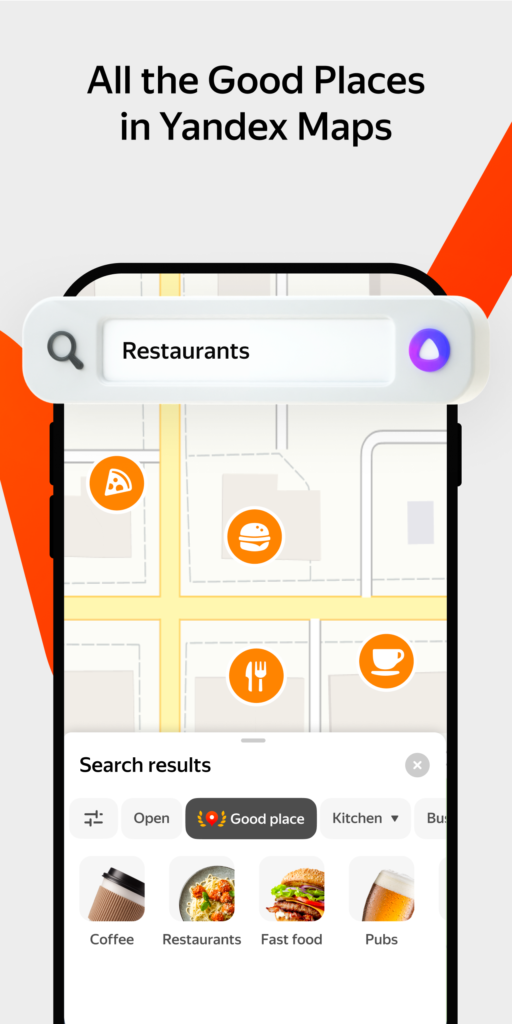
Yandex Maps: the must-have
It’s the Russian Google Maps and the app Russians themselves use. It has public transport for almost every city with timetables, tells you which metro exit to take and has loads of information on restaurants, museums and shops. And this year it has improved in exactly the areas we care about:
- Full offline navigation. Since September 2026 all routes work offline, public transport included: when you download a region’s map, its timetables are downloaded too, and they update once a week when you’re back online.
- “Step by step” mode (По шагам). Since December 2025, when the app detects that GPS is jumping around, it freezes the map and shows you the route as a list of turns you tick off by hand. When GPS comes back, it offers to resume normal navigation.
- Wi-Fi and Bluetooth positioning in Moscow. If you have them on, the app works out your position from the networks and devices around you when GPS fails.
To download a map: tap your avatar in the top left, go to “Offline maps” (Офлайн-карты), search for the city or region and tap the download icon. Keep the app open until it’s done.
Download Yandex Maps: App Store · Google Play
2GIS: the best offline
2GIS was born in Siberia and is a favourite of many people outside Moscow. Its strength is detail: it shows you which door to use to get into a building, which floor of a shopping centre a shop is on, or the opening hours of a local pharmacy. It works almost entirely without internet, search included, and it’s on the “whitelist” of services that must keep working during mobile internet shutdowns.
To download a city: tap the three-line menu in the bottom right, then “Download map” (Скачать карту), search for the city and tap download. In Moscow you can also turn on Bluetooth so it locates you better.
Download 2GIS: Google Play (not on the App Store in Europe or the US).
Google Maps and Organic Maps: as backup
Google Maps isn’t blocked and the street map is accurate, so it can work for wandering around or for keeping the list of places you saved at home handy. But its data on restaurants, opening hours and transport is far less up to date than in the Russian apps. For getting around Moscow or St Petersburg, don’t use it as your main app.
Organic Maps is a free app based on OpenStreetMap that works completely offline and without an account. It’s great for hiking, national parks and rural areas, where it sometimes has more trails than the others. It has no public transport.
For the metro, the handiest app is Yandex Metro, which works offline and is in English. I explain it, along with other useful apps, in my article on which apps to use in Russia.
How to set up your phone before you travel
I’d do all of this at home, calmly and on good Wi-Fi:
- Install Yandex Maps and, if you have Android, 2GIS. If you wait until you’re in Russia, you might not have the data to download them.
- Download the maps of every city you’ll pass through, including the train stops. If you’re travelling by car or van, download entire regions.
- Save your key places as favourites: the hotel, train stations, museums you’ve booked and the embassy.
- Write down your hotel address in Cyrillic and take a screenshot of it. That’s what you’ll show the taxi driver or whoever you ask for directions.
- Turn on precise location and keep Wi-Fi and Bluetooth on even when you’re not connected to any network.
- Download a PDF map of the city as a last resort. You’ll find the official ones in my articles on tourist maps of Moscow and tourist maps of St Petersburg.
- Bring a power bank. Your phone drains much faster when it’s searching for GPS or network signal and can’t find it.
One thing several readers told me: some Russian apps, like Yandex Go or banking apps, work badly or won’t open with your VPN on. If a Russian app hangs, switch off the VPN for a moment and try again.
If the GPS goes haywire on the street
You’ll notice straight away: the blue dot jumps from one place to another, shows up at the airport, or the route keeps recalculating. Then:
- Don’t follow the blue dot. If Yandex Maps switches to “Step by step” mode, use it: it gives you the turns one at a time.
- Place yourself on the map. Look for the nearest metro station or the street name on the signs (in Cyrillic and often in Latin letters too) and mark where you are in the app. Yandex Maps asks you to do this when the signal is weak.
- Walk a few streets away. Interference is usually very local. In central Moscow, 800 metres or a kilometre from the Kremlin, GPS often comes back.
- Take the metro. Underground you don’t need GPS, and the maps and signs are in Russian and English.
Taxis have the same problem: if you order a Yandex Go while your GPS is haywire, the car may go and pick you up somewhere else. Type in the pickup address by hand or choose a recognisable spot on the map, like a metro station entrance or a hotel, and check the pin before you confirm. I go into more detail in my guide to taxis in Russia.
If you lose internet
With the maps downloaded, Yandex Maps and 2GIS still show you the map, your position (if there’s GPS) and routes, public transport included. What you won’t get is real-time traffic or last-minute info, like a restaurant that has closed.
Mobile internet shutdowns are frequent in 2026. Readers told me they lost data in Volgograd, Rostov, Ufa, on the road and on the train between cities. During these shutdowns, a Russian SIM only gets a “whitelist” of Russian services, which includes 2GIS and Yandex services; with a foreign eSIM it depends on the day and the region. In my VPN guide for Russia and on the page about SIM and eSIM cards for Russia I explain how to prepare for shutdowns.
If you’ve just arrived and your eSIM has no data, it may not be a shutdown but the 24-hour block on foreign cards. You can find out how to remove it in a few minutes in this article.
Watches, car navigation and satellite communicators
Interference affects everything that uses GPS, not just your phone. If you wear a sports watch, you’ll see impossible tracks in central Moscow. A car or rental navigation system will jump around just like your phone. One reader also found that his Garmin satellite communicator didn’t work in Russia, so don’t count on one as a plan B.
Another warning, from a German reader: foreign travel apps that require you to log in, like Polarsteps, Komoot or Park4Night, didn’t work for him without a VPN. If you use them, download what you need beforehand or bring a VPN that works.
Frequently asked questions
Does Google Maps work in Russia?
Yes, it isn’t blocked and the street map is accurate. But the information on shops, opening hours and public transport is less up to date than in Yandex Maps or 2GIS, which are the apps I recommend as your main ones.
Why does my phone say I’m at the airport in Moscow?
Because of the GPS interference used against drones. It happens mostly in central Moscow and tricks your phone with a fake position, often Vnukovo or Sheremetyevo airport. It affects all apps in the same way.
Which map app works offline in Russia?
Yandex Maps and 2GIS, as long as you download the map of each city beforehand. Since September 2026 Yandex Maps calculates all routes offline, public transport included. Organic Maps also works without internet, but it has no public transport.
Do downloaded maps fix the GPS problem?
No. Downloaded maps help when you have no internet, but if the GPS is being jammed your phone still won’t know where you are. What helps there is keeping Wi-Fi and Bluetooth on, using the Step by step mode in Yandex Maps and placing yourself on the map.
What do I do if the taxi can’t find me because the GPS is off?
Type in the pickup address by hand or choose an easy-to-recognise spot on the map, like a metro station entrance or a hotel, and check the pin before you confirm the ride.
In short
In Russia you can’t trust GPS in the centre of big cities or in regions with drone alerts, and you can’t trust mobile internet either. With Yandex Maps and 2GIS downloaded before you go, Wi-Fi and Bluetooth on, your hotel address in Cyrillic and a backup PDF map, you’ll get around without problems. If you want to see the country’s geography to plan your route, check out my article with maps of Russia.
Have you had trouble with GPS or maps in Russia recently? Tell me how it went and I’ll add it here for the next travellers.
In This Article
Was this useful? I'll tell you when something changes in Russia
One short email a month with what has changed for travellers (visas, payments, border crossings, apps), based on what readers report to me from Russia. More than 4,000 of us already. No spam: if you ever lose interest, unsubscribing is one click.
Irena DomingoAbout Me
I was born in Russia. I grew up between two worlds: my father was Russian, my mother Spanish — a descendant of the "Children of Russia", the Basque children evacuated to the USSR during the Spanish Civil War. I've worked as a translator, interpreter and Russian teacher for over 30 years, and since 2013 I've been writing this blog to help travellers discover Russia with practical, always up-to-date information. Author of the Russiable Guide. If this blog has helped you plan your trip, you can buy me a coffee ❤️.
 How to Make Video Calls with Russia: Alternatives to WhatsApp and Telegram
 Does WhatsApp Work in Russia? What Happened to 192 Travelers in 2026
 The Best eSIMs for Russia: Which Ones Actually Work, According to Travelers