
How to Get a Russian MIR Card (T‑Bank) as a Foreign Citizen in Russia
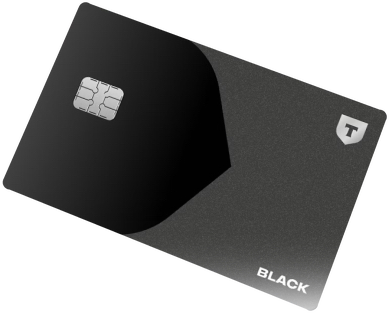
Since March 2022, Visa, MasterCard, JCB and American Express cards have stopped working in Russia due to international sanctions. If you’re planning a trip to Russia, one of the most practical options is to get a MIR card, the Russian national payment system. With it you can pay in shops, restaurants, public transport, ATMs and also on Russian websites and apps like RZD, Ozon, Aeroflot or Yandex Travel.
The easiest way to get a MIR card as a foreigner is through T‑Bank (formerly Tinkoff), a fully digital bank with no physical branches. You apply online and a bank representative delivers the card for free to your hotel or accommodation in Russia. The whole process can be completed in 2–3 days.
Free card, delivery and account
- The whole process 2–3 days
- Maintenance 99 rubles a month
- No need to visit a bank branch: the representative comes to your hotel.
- App and support in English, by phone and chat, 24 hours a day.
- Cashback in real rubles: between 1% and 15% on purchases depending on the categories you choose.
- Free maintenance if you keep a balance of 50,000 rubles or more.
What you need to pay in Russia, point by point
With foreign cards blocked, this is what you need to sort out and how the T‑Bank card solves it:
| What you need | With the T‑Bank MIR card |
|---|---|
| Paying without Visa, MasterCard, JCB or American Express | Shops, restaurants, public transport and ATMs, on the Russian national payment system |
| Buying on Russian websites and apps | RZD, Ozon, Aeroflot or Yandex Travel |
| Getting it without being a Russian resident or citizen | Just your passport and the migration card you get when crossing the border |
| Not losing a day at the bank | They deliver it to your hotel, in a 20–30 minute appointment |
| Understanding the app and getting help | App and support in English, 24 hours a day |
| Putting money on the card | Rubles at any T‑Bank ATM for free, or from abroad with a money transfer service |
How to get it
- Apply online. Ideally 1–2 days before your flight to Russia. Below I translate the screens that are in Russian.
- Confirm by SMS. If you’re using a foreign number and it doesn’t arrive, T-Bank support can confirm the application manually.
- Get it at your hotel. You choose the day and time; the representative checks your passport and visa, gives you the card and helps you install the app.
How to fill out the application form step by step
The application form starts in English, but there are two screens where the fields appear in Russian. Below I translate every option so you can fill it out without any issues. Ideally, submit the application 1–2 days before your flight to Russia.
Screen 1: personal details (in English)
This first part is in English and straightforward. Fill in your full name as it appears on your passport, your phone number (can be a foreign number), email, date of birth and select “Not a Russian national”.
Screen 2: identity documents (partially in Russian)
This is where the form switches to Russian. Here are the fields and what you should select:

Identity verification documents (Документ, удостоверяющий личность) — Type of identity document:
- Загр. паспорт иностранного гр. = Foreign passport → select this option
- Служебный/официальный паспорт = Official/service passport
- Дипломатический паспорт = Diplomatic passport
- Свидетельство о временном убежище в РФ = Temporary asylum certificate
- Удостоверение беженца на территории РФ = Refugee document
Additional documents (Дополнительные документы) — Document proving your legal stay:
- Виза = Visa → select this option if you’re a tourist
- Разрешение на временное проживание = Temporary residence permit
- Вид на жительство РФ = Permanent residence permit
Country of citizenship (Страна гражданства) — Your nationality. The dropdown is in Russian. Some common countries: Великобритания (United Kingdom), Ирландия (Ireland), США (United States), Канада (Canada), Австралия (Australia), Новая Зеландия (New Zealand), Франция (France), Германия (Germany), Испания (Spain), Италия (Italy), Нидерланды (Netherlands), Швеция (Sweden), Норвегия (Norway), Финляндия (Finland), Польша (Poland), Чехия (Czechia), Индия (India), Китай (China), Япония (Japan), Бразилия (Brazil), Мексика (Mexico), Турция (Turkey). If you can’t find your country, use Google Translate with your phone’s camera pointed at the screen.
SMS confirmation
After filling out the form you’ll receive an SMS verification code on your phone. If you’re using a foreign number and the SMS doesn’t arrive, email T-Bank support with your name, phone number and email — they can confirm your application manually.
Schedule the delivery
Once the SMS is confirmed, the final screen lets you choose the delivery address (your hotel), the date and the time. There is also a notes field where I recommend writing:

- Full delivery address (city, street, building): type your hotel address. You can write it in Latin or Russian characters; the form will suggest options as you type. If it doesn’t appear, copy and paste the Russian address from the hotel’s website.
- Date: the day you want to receive the card.
- Time: the time slot (e.g. 08:00–10:00, 10:00–12:00, etc.).
- Note for the representative: use this field to request an English-speaking representative. Example:
Please speak English. I will be waiting in the hotel lobby.
Click “Arrange delivery” and you’re done.
What happens next? Delivery at your hotel
The T-Bank representative will come to your hotel on the date and time you chose. The appointment takes about 20–30 minutes: they verify your passport and visa, hand over the card, help you install the app on your phone and explain how everything works. In Moscow and St. Petersburg delivery usually takes 1–3 days after the application. You only need your passport and migration card (the form you receive when crossing the border). You don’t need to be a Russian resident or citizen.
How to load money onto the card
The most common method: bring euros or dollars in cash, exchange them at a Russian exchange office (обмен валют) where you’ll get a much better rate than at ATMs, and deposit the rubles at any T-Bank ATM for free. You can also deposit euros or dollars directly at T-Bank ATMs, though at a less favorable exchange rate.
If you prefer to top up from abroad without relying on cash, you can use money transfer services to Russia like SendNow.
Who should get this card?
The T-Bank card is worth it if your stay in Russia is at least a week, if you travel frequently, if you want to pay on Russian apps and websites (taxis, trains, online stores) or if you’re doing a long trip like the Trans-Siberian. If you’re only going for a few days, you can manage with cash, but the card gives you much more freedom and security.
I’ve written a complete step-by-step guide with all the details: how to install the app (which is not on the App Store or Google Play), all the ways to load money onto the card, fees, ATM limits, the option to get a Russian SIM card through T-Bank for longer stays, and more.