
How to Buy a Russian SIM Card as a Foreigner in 2026
 By Irena Domingo
Updated on
In This Article
Buying a Russian SIM card used to be a five-minute job: you showed your passport at any phone shop and walked out with an active number. Since January 1, 2025, the process has turned into an obstacle course: you need to get a SNILS (Russian social security number), open an account on Gosuslugi, register your face and voice in the state biometric system, and link each SIM to the IMEI of the specific phone you’ll use it on.
For a tourist coming to Moscow and Saint Petersburg for a week, it’s not worth the trouble. For anyone planning to spend several weeks in Russia, returning multiple times, or needing to open a Russian bank account, it does make sense — and there’s a shortcut that actually works: ordering the SIM through T-Bank, which sends a representative to your address to handle SNILS, Gosuslugi, and biometrics in a single visit. In this article I walk through the full process step by step, the T-Bank fast track, what carriers are out there, and when you should just forget about a physical SIM and go with an international eSIM.
This is step 8 of my guide to planning a trip to Russia in 10 steps, where you’ll find everything else in order.
If you’re just traveling, before you get tangled up in paperwork, compare the alternatives in my guide to internet in Russia.

1. What has changed: why buying a Russian SIM is now so complicated
Until the end of 2024, you’d walk into any MTS, MegaFon, or Beeline store, show your passport, and walk out with an active SIM. It was fast, cheap (around 5–10 € a month with generous data) and required no paperwork up front. That’s exactly what I did every time I traveled to Russia.
From January 1, 2025, the Russian government has drastically tightened the conditions for selling SIMs to foreigners, officially aimed at combating fraud, spam, and the SIM black market. The four big carriers (MTS, MegaFon, Beeline, and T2) are required to enforce the new rules, and throughout 2025 they have been deactivating millions of unlinked SIMs, including cards that had been legally bought before 2025 but were never registered.
To sign a contract with any Russian operator now, a foreigner needs to have all of the following at the same time:
- Original passport plus a certified translation into Russian.
- SNILS number (the Russian equivalent of a social security number).
- A verified account on Gosuslugi, the state services portal.
- Biometric registration in the ЕБС (Unified Biometric System): photo and voice sample, taken in person at an authorized center.
- The IMEI of the specific phone you’ll use the SIM in (each SIM gets locked to one device).
- An active email address.
Each of those requirements means going in person to a Russian office, with appointments, queues, and paperwork. The full process, if you do it on your own, can easily take several days spread across different offices: a notary for the certified translation, an MFC (Multifunctional Center) for the SNILS, another MFC visit to verify your Gosuslugi account, a bank or accredited center for the biometric data, and finally the carrier’s shop to activate the SIM.
To give you an idea of how clearly this is designed for residents and not tourists: Beeline’s official page explaining how foreigners can sign up for a SIM is available in Russian, Uzbek, Tajik, Kyrgyz, English, and Chinese. The target audience is labor migrants who stay to live and work in Russia, not someone visiting for a week to see the Hermitage.

2. The step-by-step process: 5 steps to get a Russian SIM
If you decide to go the official route and do it all yourself, this is the order to follow. I’m describing it the way Beeline, MTS, and MegaFon describe it on their own pages.
Step 1. Get your SNILS
The SNILS (СНИЛС) is the personal account number in the Russian social security system. It’s the key piece: without it you can’t register on Gosuslugi, and without Gosuslugi you can’t activate a SIM. To get one you’ll need:
- Your original passport.
- A certified Russian translation of your passport, done by an accredited translator and notarized by a Russian notary. It’s handled by specialized agencies (usually located near notary offices) for about 2,000–3,000 rubles.
- A visit to an MFC (Multifunctional Center, “Мои Документы”) or an office of the Social Fund of Russia (СФР). They issue the SNILS on the spot or within a few days.

Step 2. Create and verify your Gosuslugi account
Gosuslugi is Russia’s state portal for online government services. Every SIM activation routes through it. You can register online and then go to the MFC to confirm the account, or go straight to the MFC and create and confirm it in a single visit.
At this stage you’ll need: passport plus certified translation, SNILS, and an active email. An “unconfirmed” account doesn’t get you anywhere; it has to be a verified account (подтверждённая учётная запись).
Step 3. Register your biometrics in the ЕБС
The ЕБС (Unified Biometric System, Единая биометрическая система) is the state biometric database: photo, voice, and the identity data linked to them. Since January 2025, it’s mandatory for signing a contract with any operator.
Registration is in person at an accredited center: many Russian bank branches act as ЕБС registration centers. You can find the closest one on the official service-center map. Bring your passport with its certified translation, your SNILS, and your already-confirmed Gosuslugi account. They take a photo of you and ask you to read aloud a few digits shown on a tablet screen. Within a few minutes, your biometric data is linked to your Gosuslugi profile.

Step 4. Buy the SIM at the operator’s store
With everything above in hand, you go to a physical MTS, MegaFon, Beeline, or T2 store with:
- Passport + certified translation.
- SNILS.
- Verified Gosuslugi account with ЕБС biometrics attached.
- The specific phone you’ll use the SIM in, with its IMEI ready to hand. To check it, dial
*#06#on the phone’s keypad.
The SIM gets locked to that specific IMEI. If you later change phones, you have to update the link from Gosuslugi. And a single foreigner can’t hold more than 10 active Russian numbers in their name.
Step 5. Activate the SIM
Activation can be done in the store or later through Gosuslugi. If you do it online, you’ll need a smartphone or computer with a camera to confirm your identity via a selfie. Once activated, you can use the SIM normally.
Spelled out like that it sounds manageable, but bear in mind that each step means traveling in person to a different place, speaking Russian (or going with someone who can), and arriving with all the prior documents in order. For a tourist on a short visit, there’s simply no time for it.
3. The fast track: getting the SIM from T-Bank (T-Mobile) at your door
If after reading the five steps you’re thinking “I’m not doing all that,” there’s an alternative that has become the most practical option for foreigners settling in Russia or traveling there often: T-Mobile, the mobile operator owned by the T-Bank group (formerly Tinkoff). T-Mobile runs on its own network plus Tele2 infrastructure and lets you handle the whole process from home, without traipsing around offices.
It works very differently from the traditional operators: according to T-Bank’s own official guide, a T-Bank representative comes to whatever address you specify (home, hotel, office) on the day and time you choose, brings the SIM, takes your photo and records your voice sample to enroll you in the ЕБС, helps you sort out the SNILS and set up Gosuslugi, and hands you the card ready to use. All in a single visit. The IMEI is linked automatically by the system, you don’t even need to dictate it.
The home-delivery service currently covers the main Russian regions: Moscow and its region, Saint Petersburg and the Leningrad region, Krasnodar, Novosibirsk, Samara, Tatarstan (Kazan), Sverdlovsk (Yekaterinburg), Bashkortostan (Ufa), Tyumen, Smolensk, Rostov, Irkutsk, Krasnoyarsk, Voronezh, Khanty-Mansi, and Primorsky Krai (Vladivostok). In other words, every major city and most regional capitals where a foreigner is likely to settle.
To order the SIM through this route you have two options:
- Request it from the T-Bank app, which means already being a customer of the bank.
- Request it from the T-Bank website without being a customer: you need a phone number where they can call you to set up the appointment.
In practice, the two usually go together: if you’re going to live or work in Russia for more than a few months, sooner or later you’ll want to open a Russian bank account to pay with a MIR card. T-Bank is one of the few banks that lets foreigners open an account relatively easily. I walk through the full process in the guide on how to get a T-Bank card in Russia as a foreigner, where I also cover how it ties together with the SIM and your Gosuslugi account.
Another advantage of T-Mobile over the rest: customer support runs through the T-Bank app chat, in Russian but perfectly workable with an auto-translator, and the rates are competitive (plans with generous data and minutes are around 500–800 rubles a month, roughly $5–$8 at current exchange rates).
4. When is the effort of getting a Russian SIM worth it?
It depends a lot on the kind of trip you’re taking. Here’s the short version:
When it’s NOT worth it
- Tourist trip of 7 to 15 days through Moscow, Saint Petersburg, the Golden Ring, Sochi, or any classic route. The time and running around doesn’t pay off for those days. An international eSIM gets you online the moment you land.
- River cruise or Moscow–Saint Petersburg train trip with short stays in each city. Same logic.
- Full Trans-Siberian of 2–3 weeks. Even though it’s a long trip, you’re constantly on the move; the paperwork would force you to stop for several days in Moscow at the start, and an eSIM on the MTS network does the job perfectly.
When it CAN be worth it
- Long stay in Russia (1 month or more). For work, studies, an exchange program, volunteering, or because you’ve moved there.
- You’ll be coming back to Russia several times in the next few years: the upfront investment in SNILS, biometrics, and SIM pays off across multiple visits, because you only do all that paperwork once.
- You need a Russian number to use local services regularly: opening a Russian bank account, signing up for Yandex Taxi, Yandex.Eda, Wildberries, Ozon, buying train tickets through the RZD app, connecting to public Wi-Fi networks that ask for SMS verification, and so on.
- You have friends or family helping you on the ground with Russian and with the back-and-forth to MFCs.
In any of these cases, the most sensible combination is opening a T-Bank account + ordering the T-Mobile SIM at your door: you skip most of the running around because the bank’s representative handles everything in a single visit.
5. If you’re coming as a tourist: the eSIM alternative
For most travelers, the practical answer to “I need internet in Russia” isn’t a physical SIM but an international eSIM. You buy it from home, you get a QR code by email, you install it on your phone while you’re still in your country on Wi-Fi, and when you land in Moscow or Saint Petersburg it connects automatically to a Russian network.
The advantages over a physical SIM are obvious:
- Zero Russian bureaucracy: no SNILS, no Gosuslugi, no biometrics, no certified translation.
- You keep your usual number on WhatsApp and Telegram through your phone’s main SIM (though WhatsApp no longer works in Russia).
- Russian network coverage: even though the eSIM is foreign, it connects to MTS, Beeline, or T2 depending on the brand you pick, so signal quality is the same as you’d get with a local SIM.
- You pay in dollars or euros with your usual Visa or Mastercard, with no need to open a Russian bank account.
The downsides are worth being clear about too:
- You don’t have a Russian number: you can’t sign up for Russian apps that require a +7 number, and you can’t connect to public Wi-Fi networks that verify by SMS.
- 24-hour block: since October 2025, the Russian government applies an automatic block on data and SMS for around 24 hours the first time any foreign SIM or eSIM registers on a Russian network.
- More expensive than a Russian SIM, though still affordable (between $7 and $50 depending on GB and days).
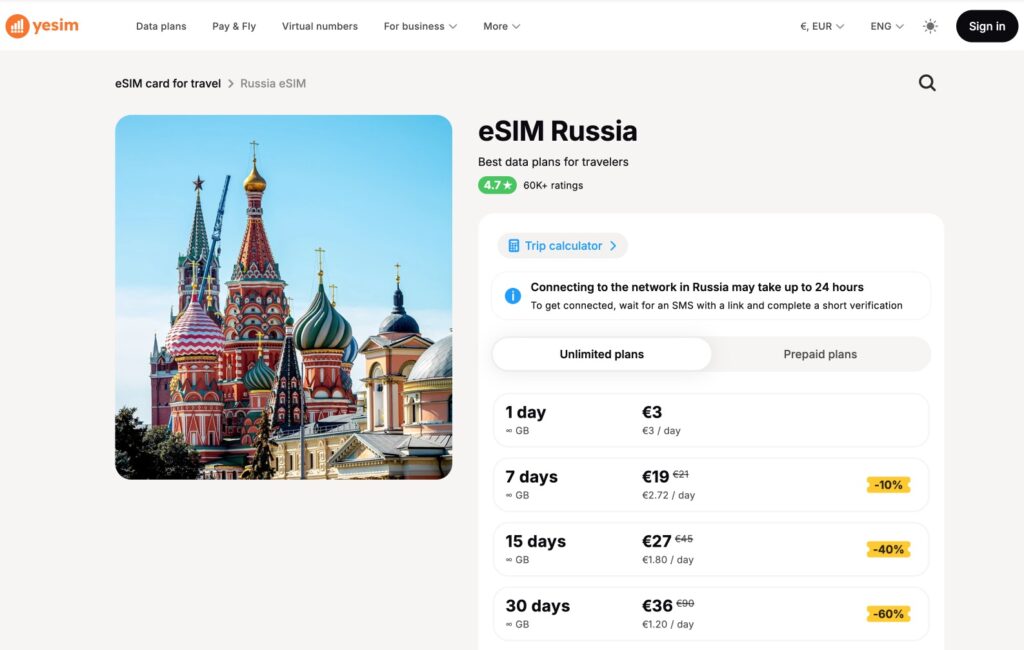
I’ve put together a detailed comparison of the brands that actually work in Russia in 2026 (my pick: Yesim), with real prices for each plan and the Russian network each one runs on: the best eSIMs for traveling to Russia in 2026. If you’re coming as a tourist, that guide gets your connectivity sorted in under 10 minutes.
6. Other “alternatives” you’ll see online (and why they aren’t a good idea)
Before getting to the operators, it’s worth dismantling three “shortcuts” that circulate on forums and social media and that, in most cases, end up causing more problems than they solve.
A SIM borrowed from a Russian friend or relative
In theory it sounds good, and before 2025 it was a common workaround. Today, with the new rules, every SIM is tied to the IMEI of the registered holder’s phone and to their biometric profile. If you put it in your phone, the system detects the IMEI change and the SIM gets blocked or restricted within days. Even if it kept working, you’d be exposing that person to penalties — because officially they’re the one responsible for the number.
“Anonymous” Russian SIMs on Telegram, Avito, or grey-market websites
This is the classic black market: SIMs supposedly unregistered, sold for $30–$50 on Telegram channels or forums like Avito. The reality is that most of them are already in the process of being blocked by the carriers (precisely because they’re not registered on Gosuslugi), or they’re registered to a third party who can cancel them at any moment. If you arrive in Russia with one of these, the most likely outcome is that it doesn’t work and you’re left with nothing. On top of the payment-fraud risk.
Keeping your foreign SIM in roaming
It technically works (Russia isn’t covered by the EU’s roam-like-at-home regime, but foreign carriers still offer connectivity there). The problem is the price: roaming rates in Russia tend to run between €5 and €15 per MB of data, which means a single day of normal phone use can get very expensive. It only makes sense as a short-term solution for the first hours after landing, while your eSIM activates and the 24-hour block clears, or if your home carrier happens to offer competitive Russia roaming rates.
7. The 4 Russian carriers: what each one offers
If you go the official route, you’ll have to pick a carrier. Russia has four big ones that cover practically the entire country, plus a handful of regional operators that aren’t relevant for a foreigner. These are the four worth paying attention to:
- MTS. Very strong national coverage, especially outside the big urban centers. A must if you’re heading into Siberia, Murmansk, Kamchatka, or along the Trans-Siberian. Shops in every major city and decent service.
- MegaFon. The network with the widest reach, with strong urban and rural presence and stable 4G/5G speeds.
- Beeline (a VimpelCom subsidiary). Very good signal in big cities like Moscow, Saint Petersburg, Kazan, or Sochi. Somewhat more limited in remote rural areas.
- T2 (formerly Tele2 Russia). Good urban coverage and along the Trans-Siberian route. It’s the network T-Mobile (T-Bank) uses as its base.
In practical terms, for a foreigner who wants a physical SIM through the official route, the two most convenient options are T-Mobile (T-Bank) for its home-delivery service, and MTS or MegaFon for geographic coverage.
8. Russian physical SIM vs international eSIM: side by side
To have everything in one table so you can decide based on your case:
| Russian physical SIM | International eSIM | |
|---|---|---|
| Prior paperwork | SNILS, Gosuslugi, ЕБС, certified translation | None |
| Where you buy it | In Russia, at a physical store | Online from home, before the trip |
| Setup time | Several days at offices (or one home visit with T-Mobile) | 10 minutes |
| Russian number (+7) | Yes | No |
| Access to SMS-verified public Wi-Fi | Yes | No |
| Sign-up on Russian apps (Yandex, RZD, banks) | Yes | No |
| Initial 24-hour block | Yes, since October 2025 | Yes, since October 2025 |
| Monthly cost | 500–800 ₽ ($5–$8) with generous data | $7–$50 per trip |
| Payment method | Russian MIR card only, or cash in store | Standard Visa/Mastercard |
| Best for | Long stays, frequent travelers | Tourism, short to mid-length trips |
As you can see, the two options cover different needs. They’re not rivals: they complement each other depending on your traveler profile. And nothing stops you, on a long stay, from using an international eSIM for the first 24–48 hours while the local Russian SIM paperwork gets sorted out.
9. Internet in Russia: other things worth knowing
Whatever your connection setup, here are a few things to know about accessing the internet in Russia in 2026:
- Many social networks and services are blocked: Facebook, Instagram, X (Twitter), WhatsApp, etc. To access them you’ll need a VPN; I cover this in detail in VPN in Russia: a practical guide for travelers. Telegram, on the other hand, is still working normally.
- Public Wi-Fi in airports, cafés, and the metro: it usually requires a Russian number for SMS verification. Without a local SIM, only hotel and some restaurant Wi-Fi will be available to you.
- For staying in touch with family and friends outside Russia, the alternatives to WhatsApp and Telegram for video calls that still work in Russia are increasingly limited; it’s worth installing several of them before you travel.
Conclusion
To sum up: buying a Russian SIM card as a foreigner has become a complex bureaucratic process since January 2025. You need to get a SNILS, register on Gosuslugi, give biometrics to the ЕБС, get your passport translated, and link the SIM to your phone’s IMEI. For a tourist coming for a week or two, it’s not worth it.
The two reasonable routes today are:
- If you’re coming as a tourist: buy an international eSIM before you leave and forget about the Russian paperwork.
- If you’re going to spend serious time in Russia or you’ll be coming back multiple times: request the T-Mobile SIM through T-Bank with home delivery. It’s the only way to avoid spending a week between MFCs, notaries, and carrier shops.
Whatever your situation, plan your connectivity before you land. Arriving in Moscow or Saint Petersburg with no working internet and no idea what to do is a bad way to start the trip.
Frequently asked questions about buying a Russian SIM
Can I buy a Russian SIM as a tourist on a short visit?
In practice, no. Since January 2025 you need a SNILS, a verified Gosuslugi account, biometric registration in the ЕБС, a certified translation of your passport, and the IMEI of the phone linked to the SIM. Every step is in person and requires going to different offices. For a 7–15 day trip it isn’t worth it: the sensible move is to buy an international eSIM before you leave.
What is the SNILS and why do I need it to buy a Russian SIM?
The SNILS is the personal account number in Russia’s social security system. Without it you can’t register on Gosuslugi, and without Gosuslugi no Russian operator will sign you up for a SIM as of 2025. You get it at an MFC (Multifunctional Center) or a Social Fund office, by submitting your passport and a certified Russian translation.
Is it true that T-Bank delivers the SIM to your address and handles all the paperwork?
Yes. T-Mobile, T-Bank’s operator, sends a representative to the address you specify in Moscow, Saint Petersburg, and other major Russian regions. In a single visit they bring the SIM, take your photo and record your voice for the ЕБС enrollment, help you get the SNILS and set up Gosuslugi, and hand you the card ready to use. For anyone moving to Russia or returning often, it’s the most practical route.
Can a foreigner buy a Russian SIM without physically going to Russia?
No. Every step (SNILS, Gosuslugi registration, ЕБС biometrics, and signing the contract with the operator) is done in person on Russian territory. There’s no legal way to acquire a Russian SIM without setting foot in the country. Websites that claim to sell Russian SIMs remotely operate in the grey market and the cards usually get blocked shortly afterward.
How many Russian SIMs can a foreigner hold in their name?
A maximum of 10 active numbers. You can check how many you have registered from your Gosuslugi profile, in the “Sim-cards” section. If you go over the limit, you have to cancel one before signing a new contract.
What if I have a Russian SIM from before 2025 that I’m still using?
Even if it predates January 2025, it now also needs to be registered on Gosuslugi and linked to your ЕБС biometrics. If you don’t bring it into line, operators are progressively blocking these cards. If you come back to Russia with an old card that hasn’t been updated, chances are it no longer works.
Which Russian carrier has the best coverage outside Moscow and Saint Petersburg?
MegaFon has the best national coverage, particularly outside the big urban centers: Siberia, the Trans-Siberian route, Murmansk, Kamchatka, and the Far East. T2 also offers very good urban coverage and along the Trans-Siberian.
What if I only need internet, without a Russian number?
If all you care about is data connectivity, the most practical option is an international eSIM. You install it before the trip from home, it connects to a Russian network on arrival, and it requires no Russian paperwork. The one I recommend in 2026 is Yesim, with plans from around $7 up to $50 depending on GB and days.
In This Article
Was this useful? I'll tell you when something changes in Russia
One short email a month with what has changed for travellers (visas, payments, border crossings, apps), based on what readers report to me from Russia. More than 4,000 of us already. No spam: if you ever lose interest, unsubscribing is one click.
Irena DomingoAbout Me
I was born in Russia. I grew up between two worlds: my father was Russian, my mother Spanish — a descendant of the "Children of Russia", the Basque children evacuated to the USSR during the Spanish Civil War. I've worked as a translator, interpreter and Russian teacher for over 30 years, and since 2013 I've been writing this blog to help travelers discover Russia with practical, always up-to-date information. Author of the Russiable Guide. If this blog has helped you plan your trip, you can buy me a coffee ❤️.
 How to buy a Russian VPS hosting server despite sanctions
 Happ VPN in Russia: What It Is, How It Works and How to Use It Without Getting Scammed
 Your Own VPN with Amnezia Hosting: Step-by-Step Tutorial for Russia